Portable Wi-Fi hotspot Free1.2.5.4-12
Publisher Description

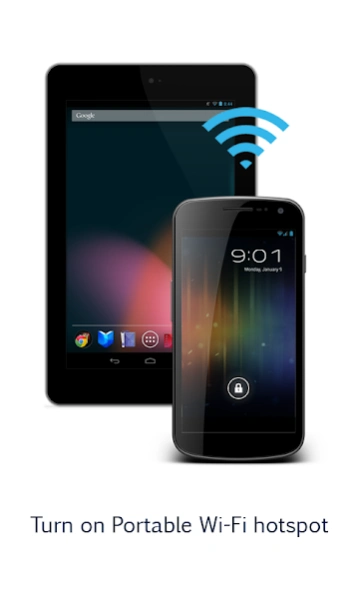


Turn on Portable Wi-Fi hotspot. Improve your mobile computing experience.
Turn on Portable Wi-Fi hotspot
Improve your mobile computing experience.
Simple and fast.
**Before running the application configuration is required.
SETTING: Settings->More..->Tethering & portable hotspot->Set up Wi-Fi hotspot
https://support.google.com/android/answer/182134
Rename or secure your portable hotspot
You can change the name of your phone's Wi-Fi network name (SSID) and secure its Wi-Fi network when it's acting as a portable hotspot.
Go to Settings > Wireless & networks > More > Tethering & portable hotspot.
Make sure Portable Wi-Fi hotspot is checked.
Touch Configure Wi-Fi hotspot.
The Configure Wi-Fi hotspot dialog opens.
Set your name and security options as follows:
Change the Network
TO USE: Just touch Play button on / off
*Subscribing to smartphone data plan is needed for users of some telecommunication firms.
About Portable Wi-Fi hotspot Free
The company that develops Portable Wi-Fi hotspot Free is CORE TECHNOLOGY. The latest version released by its developer is 1.2.5.4-12.
To install Portable Wi-Fi hotspot Free on your Android device, just click the green Continue To App button above to start the installation process. The app is listed on our website since 2018-09-01 and was downloaded 8 times. We have already checked if the download link is safe, however for your own protection we recommend that you scan the downloaded app with your antivirus. Your antivirus may detect the Portable Wi-Fi hotspot Free as malware as malware if the download link to kr.co.core_technology.hotspot_manager is broken.
How to install Portable Wi-Fi hotspot Free on your Android device:
- Click on the Continue To App button on our website. This will redirect you to Google Play.
- Once the Portable Wi-Fi hotspot Free is shown in the Google Play listing of your Android device, you can start its download and installation. Tap on the Install button located below the search bar and to the right of the app icon.
- A pop-up window with the permissions required by Portable Wi-Fi hotspot Free will be shown. Click on Accept to continue the process.
- Portable Wi-Fi hotspot Free will be downloaded onto your device, displaying a progress. Once the download completes, the installation will start and you'll get a notification after the installation is finished.
Program Details
System requirements
Download information
Pricing
Version History
version 1.2.5.4-12
posted on 2018-09-01
✓Subscribing to smartphone data plan is needed for users of some telecommunication firms.
✓Some devices need to perform this step.
From a Home screen, navigate: Apps Apps icon > Settings > Mobile Hotspot and Tethering (Wireless and networks section).
Note These instructions apply to Standard mode only.
Tap Mobile Hotspot.
Tap the Mobile Hotspot switch to turn on Switch on or off Switch off.
Note If prompted, review the warning then tap OK to confirm.
